If you have accounts for both SIGNATE Competition (for individual users) and SIGNATE Cloud (for corporate users), and you are already signed in to one of the services, you will be automatically redirected to the site you are currently signed in to.
If you are redirected to the SIGNATE Cloud (Organization) page
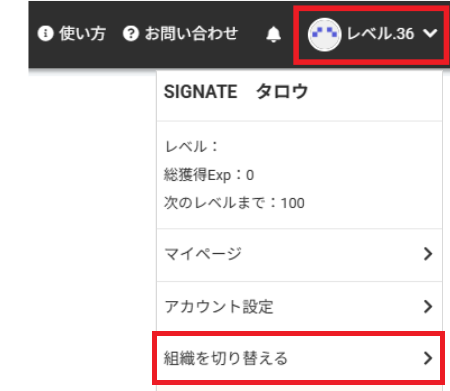
- Click the downward arrow next to “Level(レベル)” in the upper-right corner of the screen.

From the drop-down menu, click [Switch Organization](組織を切り替える).
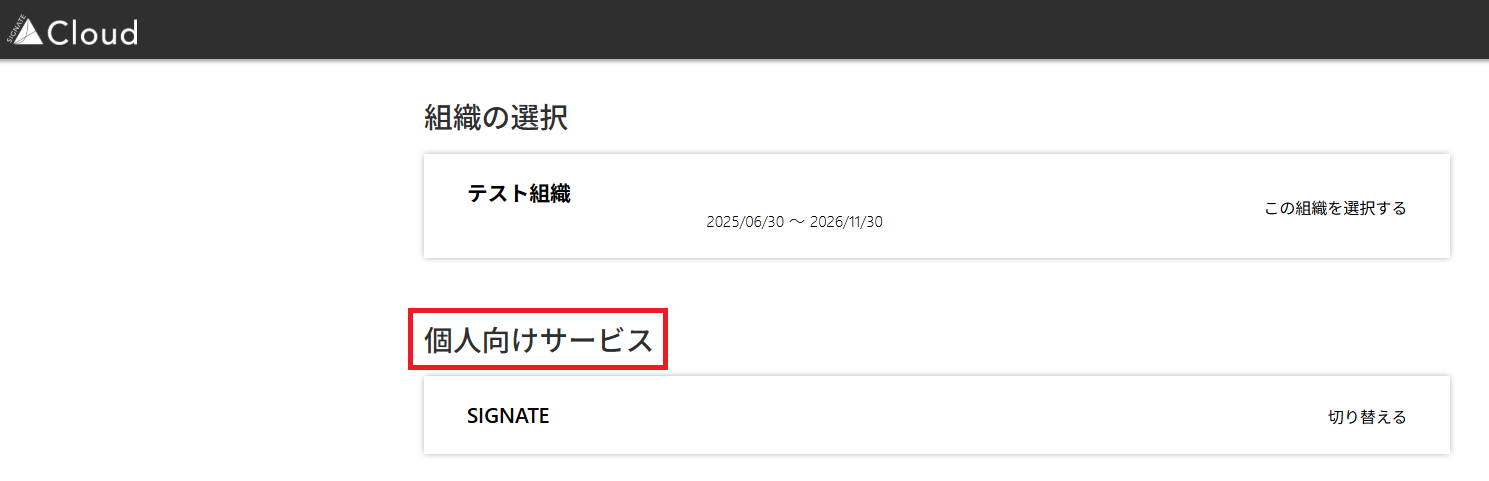
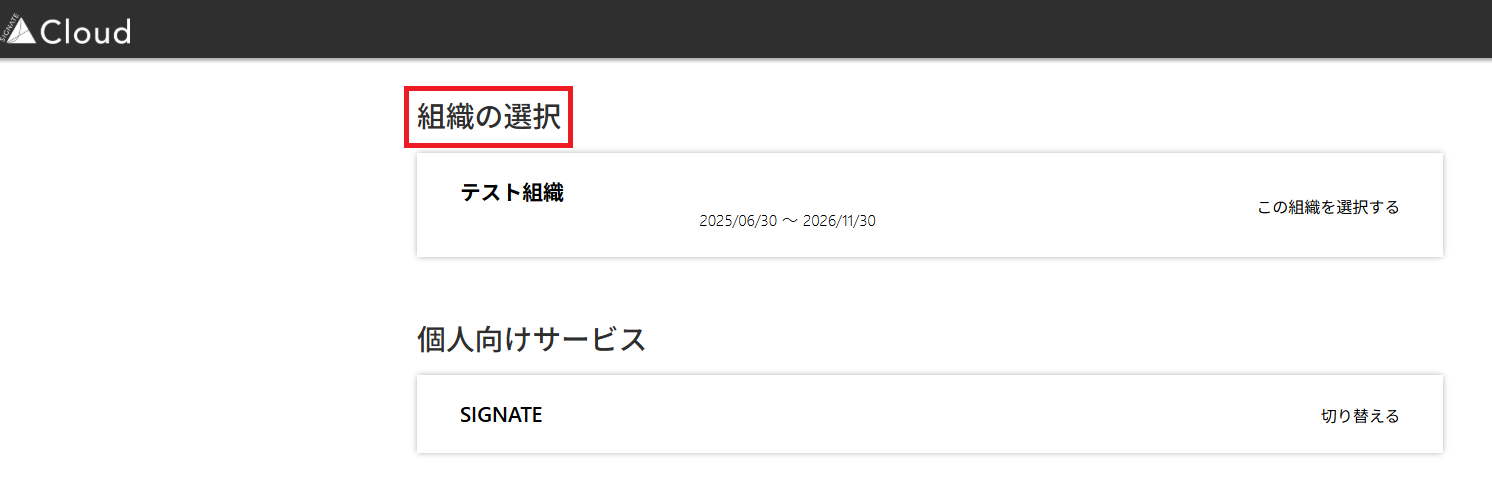
Select the organization (service) you want to move to. To access SIGNATE Competition, please select a service listed under “Services for Individual Users"(個人向けサービス) .
If you are redirected to the SIGNATE Competition page
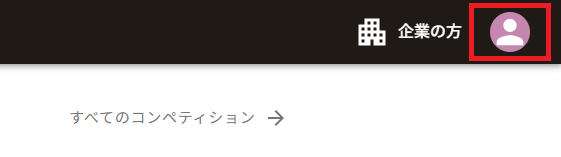
- Click the user icon in the upper-right corner of the screen.
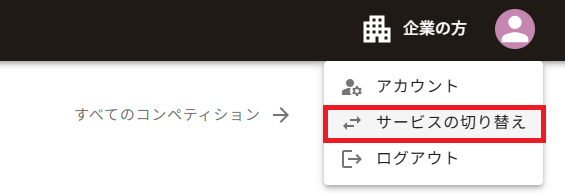
From the drop-down menu, click [Switch Service](サービスの切り替え).
Select the organization (service) you want to move to. To access SIGNATE Cloud, please select an organization listed under “Select Organization”(組織の選択).
Was this article helpful?
That’s Great!
Thank you for your feedback
Sorry! We couldn't be helpful
Thank you for your feedback
Feedback sent
We appreciate your effort and will try to fix the article