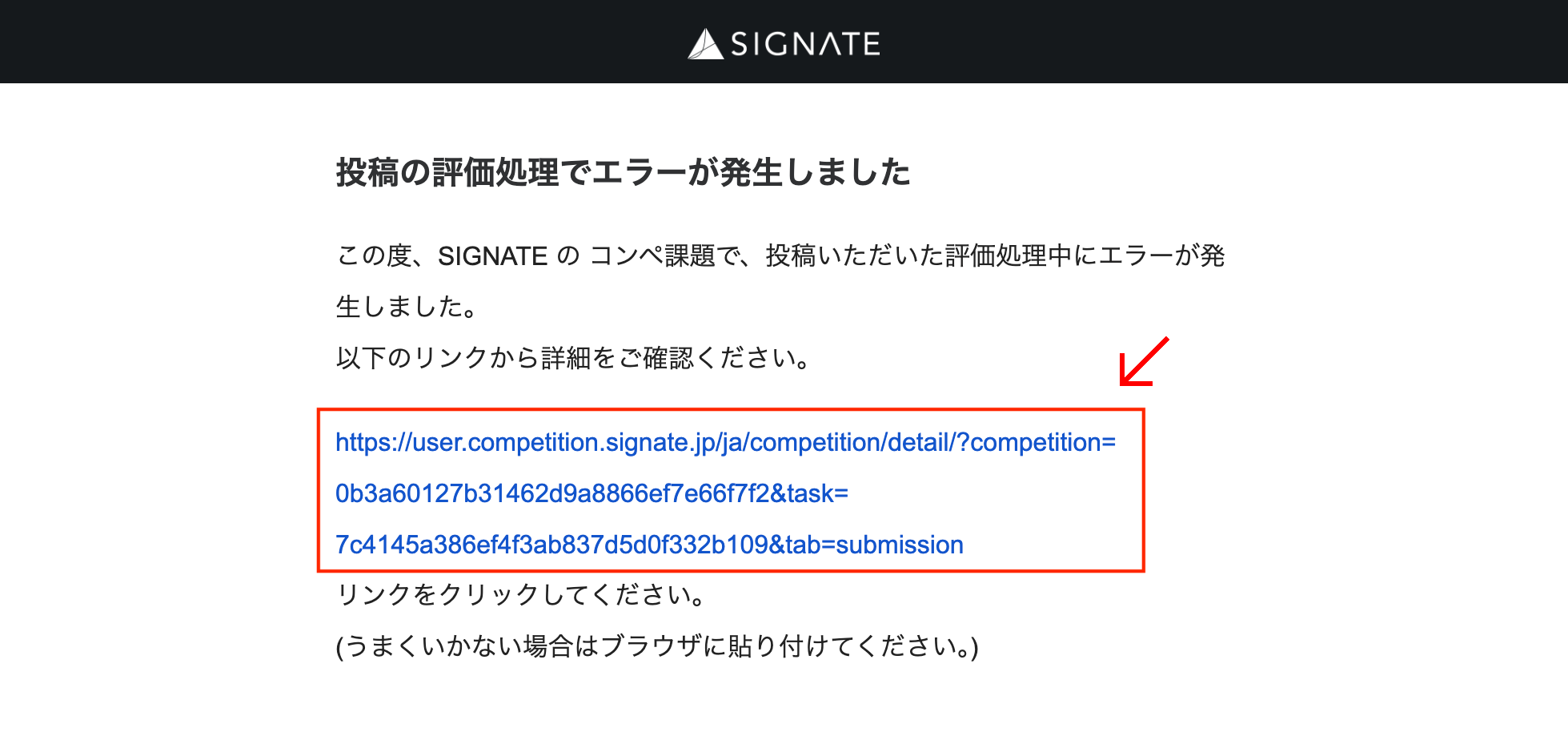
If an error occurs during the evaluation process for your submission, you will receive an email like the following.
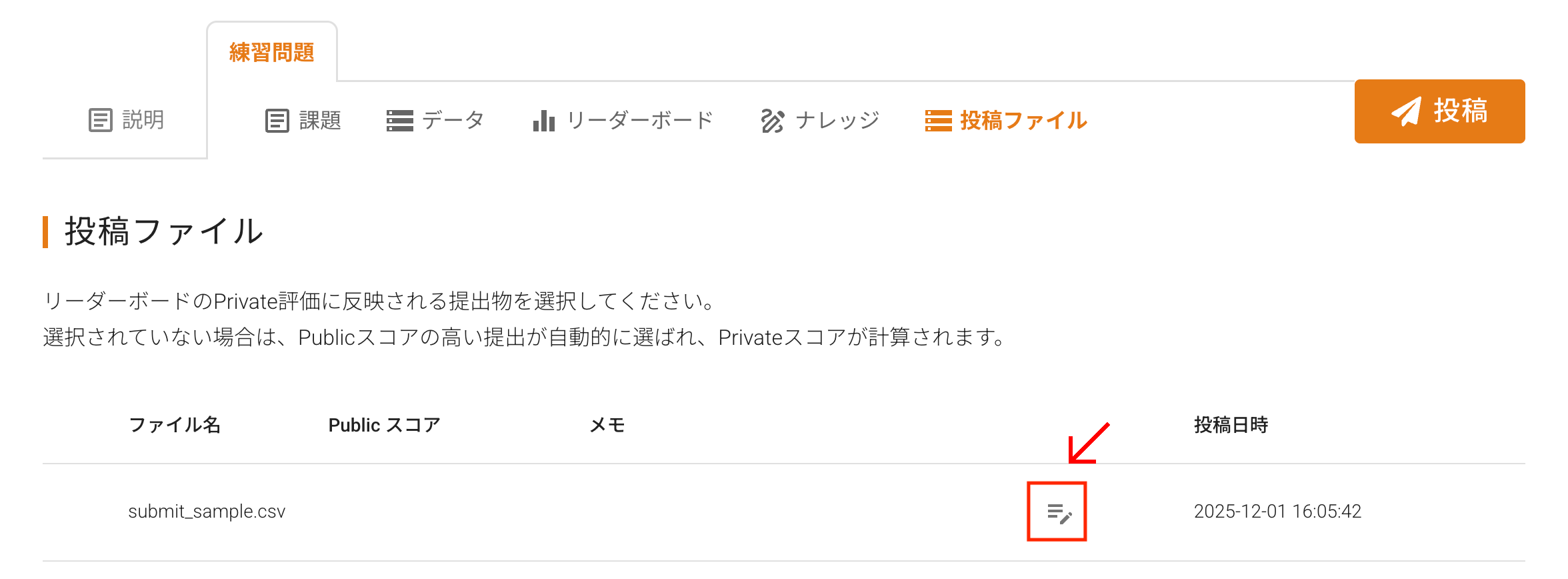
To view the error details, please access the “Submitted Files (投稿ファイル)” tab for the competition via the link in the email body.
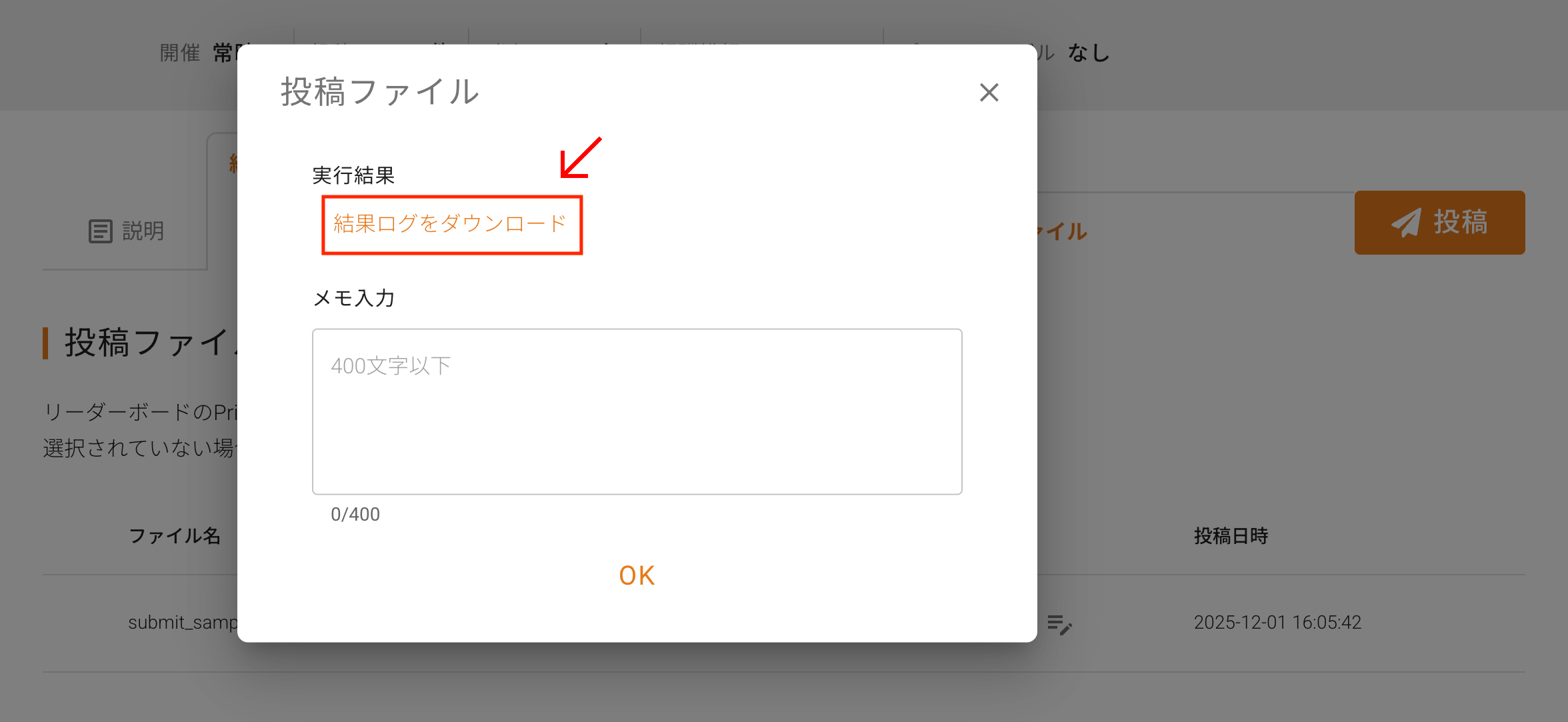
Clicking the edit button for the relevant file will display “Download Result Log (結果ログをダウンロード)” in the execution results. Download the result log (result-log.txt) from the link on the left and check for error causes, etc.
The following is an example of the result log output.

Based on the output of the results log, please compare your submitted file with the sample submission file (e.g., sample_submit.csv) found in the “Data (データ)” tab for each competition to ensure the formats match.
Common causes of errors include the following:
- Incorrect datetime format
- Containing non-numeric values
- Extra comma at the end of the row
Was this article helpful?
That’s Great!
Thank you for your feedback
Sorry! We couldn't be helpful
Thank you for your feedback
Feedback sent
We appreciate your effort and will try to fix the article